

🔍 The Fliki & Pictory Personality Breakdown
Fliki is like the chill, creative storyteller. It’s awesome at turning text into videos with a strong focus on voiceovers. Their natural-sounding text-to-speech engine (available in 75+ languages and accents) gives your content that polished, human-like vibe. It’s also perfect for whipping up audiobooks and podcasts.
Pictory, on the other hand, is your clever editing assistant. It can magically extract highlights from long-form content like webinars, interviews, or even scripts. It’s all about making crisp, share-ready clips — without sweating over timelines and transitions.
🎥 Quick Demo: Watch Fliki and Pictory in Action
⚡ Quick Lowdown
✅ Want natural-sounding voiceovers and text-to-video creation? Fliki’s your go-to.
✅ Need to chop long videos into crisp, engaging clips or auto-generate videos from scripts? Pictory shines here.
✅ Both are cloud-based, beginner-friendly, and require zero editing experience.
🎬 So, what’s your vibe? Killer narration with cool voice options or smart AI editing with highlight reels?
📊 Side-by-Side Comparison Table
| Feature | Fliki | Pictory |
|---|---|---|
| User Interface | Simple & beginner-friendly | Rich features, slightly more complex |
| Text-to-Video | ✅ Yes, with lifelike AI voices | ✅ Yes, with smart scene generation |
| Voiceovers | 75+ languages & accents | Fewer voices, but good quality |
| Video Editing Tools | Basic trimming, scene generation | Advanced editing, captions, B-roll |
| Template Library | Smaller, still growing | Large, varied selection |
| Team Collaboration | ❌ Not yet | ✅ Yes, team-friendly |
| Free Plan Watermark | ✅ Yes | ✅ Yes |
| Paid Pricing | 💰 Affordable monthly plans | 💰 Mid-tier pricing, more team features |
🖼️ Side-by-Side Visual Sneak Peek
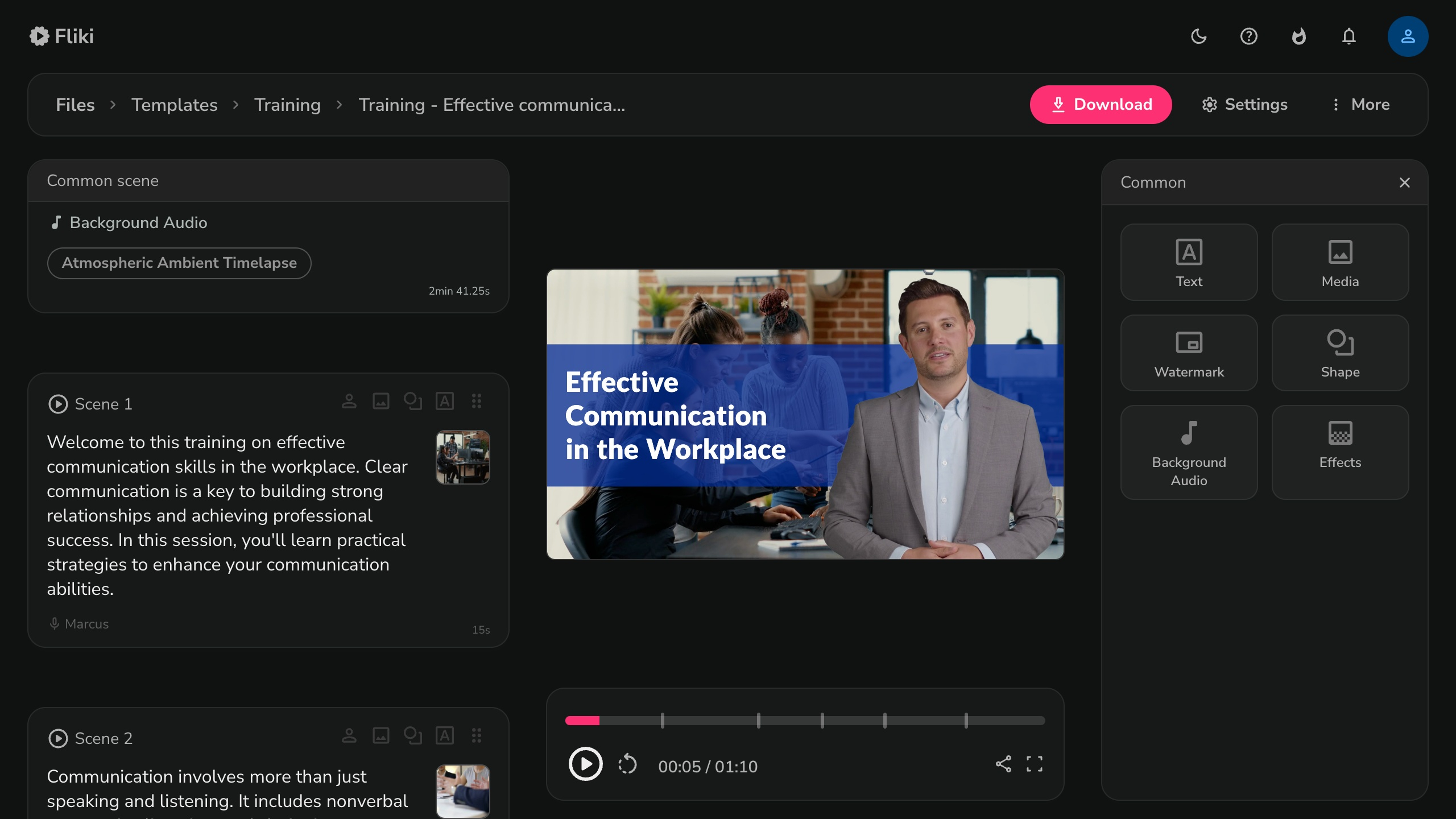
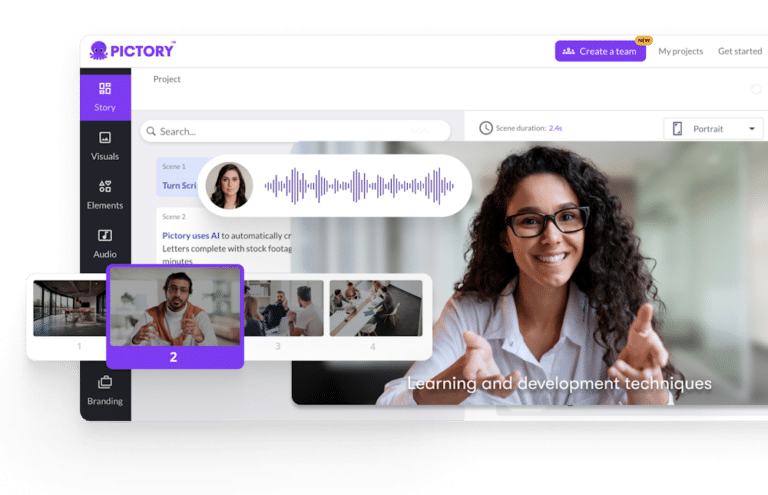
Fliki | Pictory
🌍 Why Fliki Might Be Your Go-To
Fliki is perfect if your focus is on voice-driven content — think explainer videos, shorts, podcasts, or audiobooks. It’s lightning fast, especially with multilingual content.
👍 Pros:
- Realistic AI voices in dozens of languages
- Ideal for scripts, blog-to-video, and podcasts
- Extremely easy to use
👎 Cons:
- Limited video editing tools
- Fewer templates and design features
🧠 What Makes Pictory a Powerhouse?
Pictory shines in editing, captions, and team workflows. If you’re working with long videos or want snappy, social-ready clips — this one’s for you.
👍 Pros:
- Auto-generates subtitles & scene summaries
- Better customization and clip management
- Great for teams or agencies
👎 Cons:
- Slightly higher learning curve
- Pricier for advanced features
🤔 Who Should Use Which Tool?
| Creator Type | Go With… | Why? |
|---|---|---|
| Beginner or solo creator | Fliki | Fast, intuitive, and voice-first |
| Content teams or marketers | Pictory | Advanced editing & collaboration |
| Social media video editors | Pictory | Strong captioning + visual effects |
| Multilingual creators | Fliki | Over 75 language voices included |
💡 Bonus Tip: Use Both!
Some creators start with Fliki to draft videos fast, then polish them in Pictory with extra edits and captions. That’s the dream team workflow. 🧠💥
💸 Pricing Snapshot
| Plan | Fliki | Pictory |
|---|---|---|
| Free Plan | Watermarked, limited scenes | Watermarked, limited exports |
| Starter Plan | ~$14/month (as of July 2025) | ~$12/month (solo) |
| Pro/Business | Extra voices, longer videos | Team collaboration, more templates |
🔗 View Fliki Pricing
🔗 View Pictory Pricing
🗣️ Social Proof
🏁 Final Verdict
If you’re looking to quickly generate AI voice-powered videos in multiple languages, Fliki is your new BFF.
But if your projects involve editing, trimming, captioning, or collaborating with others — Pictory will give you more creative control.
🚀 Pro Tip: Try both! Each has a free version so you can test-drive your perfect AI video sidekick.
❓ Frequently Asked Questions
Q: Which tool is better for YouTube Shorts?
A: Fliki is great for voice-driven Shorts. Pictory excels if you want captions and edits.
Q: Can I use both together?
A: Yes! Many creators script in Fliki and refine in Pictory.
Q: Do they support multiple languages?
A: Fliki supports 75+ languages. Pictory offers fewer but still decent TTS options.
Q: Can I remove watermarks on free plans?
A: No. Both tools require upgrading to remove branding. check potential workarounds
📣 Your Turn!
💬 Tried either one? Got a favorite? Let us know in the comments!
📧 Want more AI video tool reviews like this?
Subscribe to the Skipeon newsletter and get fresh guides, tips, and tools — delivered weekly.



 Skipeon